
Orders and status
Current orders with status, ready time, pieces, photos and balance; full history below.
Every business gets its own customer app at its own link, and can publish a branded app in the stores. Customers sign in with a code sent to their e-mail.
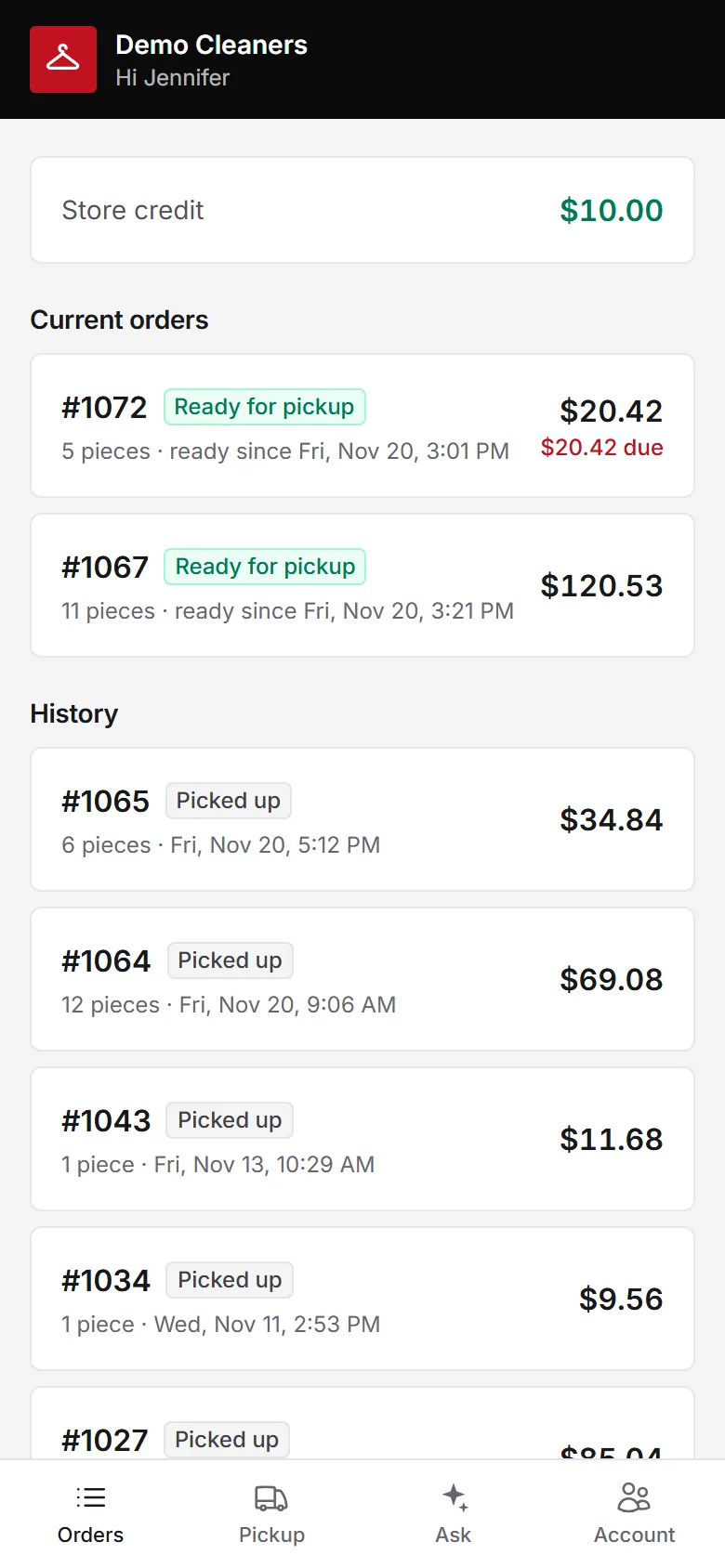
Give customers your own app to see orders, pay online, book pickups, save a card, rate orders, earn rewards and invite friends. No password, just a code.
Current orders with status, ready time, pieces, photos and balance; full history below.
Pay the balance online, or save a card and turn on automatic payment.
Choose a window for pickup or delivery and add notes for the driver.
See loyalty points, redeem rewards as store credit, and share an invite link with friends.
One to five stars after pickup, with a comment that reaches you directly.
An assistant answers hours, prices and order questions from your own data.
Part of every CleanerHawk account. Turn it on in Settings and it fits into the rest of the day.
Put the link on receipts, your website and in e-mails.
They enter their e-mail or phone and receive a one-time code.
Fewer "is it ready?" calls at the counter.
Used most by:
Related reading:
No. They sign in with a one-time code sent to their e-mail.
Yes. A white-label store app can be published under your business's own developer account.
Nothing. The customer app is part of your plan.
Also in Customers: Customer profiles, Order notifications & tracking, Ratings & reviews, Loyalty & refer a friend
Cash with change and an open drawer, cards on a reader, a link the customer pays from their phone, or a saved card charged automatically when the order is ready.
Plant & deliveryCustomers book a pickup window from their phone.
CustomersPoints add up with every paid ticket and turn into store credit at the counter or in the app.
CustomersA one-tap rating after pickup tells you how every order went.
A short call, your price list loaded, and an honest answer on whether it fits your shop. Month to month, and your data exports any time.