
Any range, compared
Today, this week, last month or a custom range, against the previous period of the same length.
Pick any range and see how it compares with the one before: what came in, what sold, when you are busiest, how fast orders turn around and what is still owed.
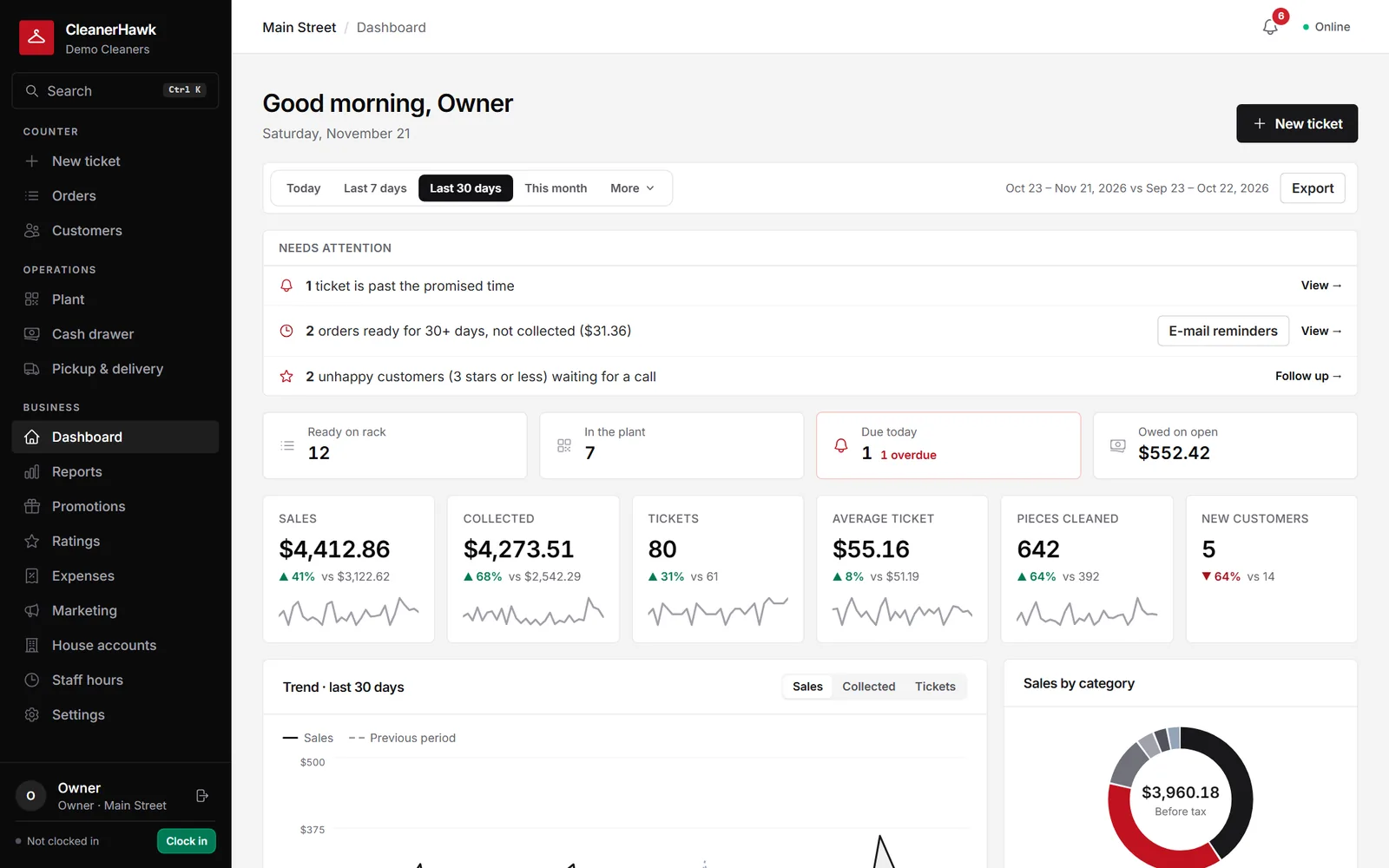
Sales, tickets and average ticket against the previous period, busiest hours, items and categories, turnaround, sales tax by month, end of day and store comparison.
Today, this week, last month or a custom range, against the previous period of the same length.
A heatmap of drop-offs by weekday and hour for staffing.
Sales by category and item, with quantities and average prices.
Average hours to ready and the share ready on time.
Taxable, non-taxable and exempt sales, ready for your return.
Orders, customers, items, tax and store reports to CSV.
Part of every CleanerHawk account. Turn it on in Settings and it fits into the rest of the day.
KPIs, trend, alerts and live counts in one place.
Switch to items, tax, end of day or stores.
Send a CSV to your accountant.
Used most by:
Related reading:
Yes. Report access is a permission you give per role.
Every report can be filtered to one store or show all.
Ranges of up to two years at a time.
Also in Management: Expenses & profit, Staff, roles & time clock, Multiple locations
Sales tell half the story.
ManagementCustomers are shared across your stores, so they can drop at one and collect at another.
CounterEach register has its own drawer session.
GrowthFour practical uses, each where it helps: on the dashboard, in the plant, in marketing and in the customer app.
A short call, your price list loaded, and an honest answer on whether it fits your shop. Month to month, and your data exports any time.