
Lines at the counter
Busy mornings mean customers waiting while staff look up names, count shirts and write out tickets. A slow counter costs you regulars.
CleanerHawk runs the counter, the plant and the pickup rack from one system. Every garment gets its own barcode tag, so you know where it is from drop-off to the moment it goes home.
Problems we hear from dry cleaners, and the reason each part of CleanerHawk exists.
Busy mornings mean customers waiting while staff look up names, count shirts and write out tickets. A slow counter costs you regulars.
One missing shirt can undo years of good service. Without a tag on every piece, it is hard to prove what came in and where it went.
Finished work that nobody picks up takes space and ties up cash. Calling every customer by hand rarely happens on a busy day.
Paper tickets and a cash register tell you what came in today, but not which items earn the most, which hours are busiest or how much you actually kept.
Find the customer, tap the garments, check out.
CounterEvery garment gets its own numbered tag the moment the ticket is saved.
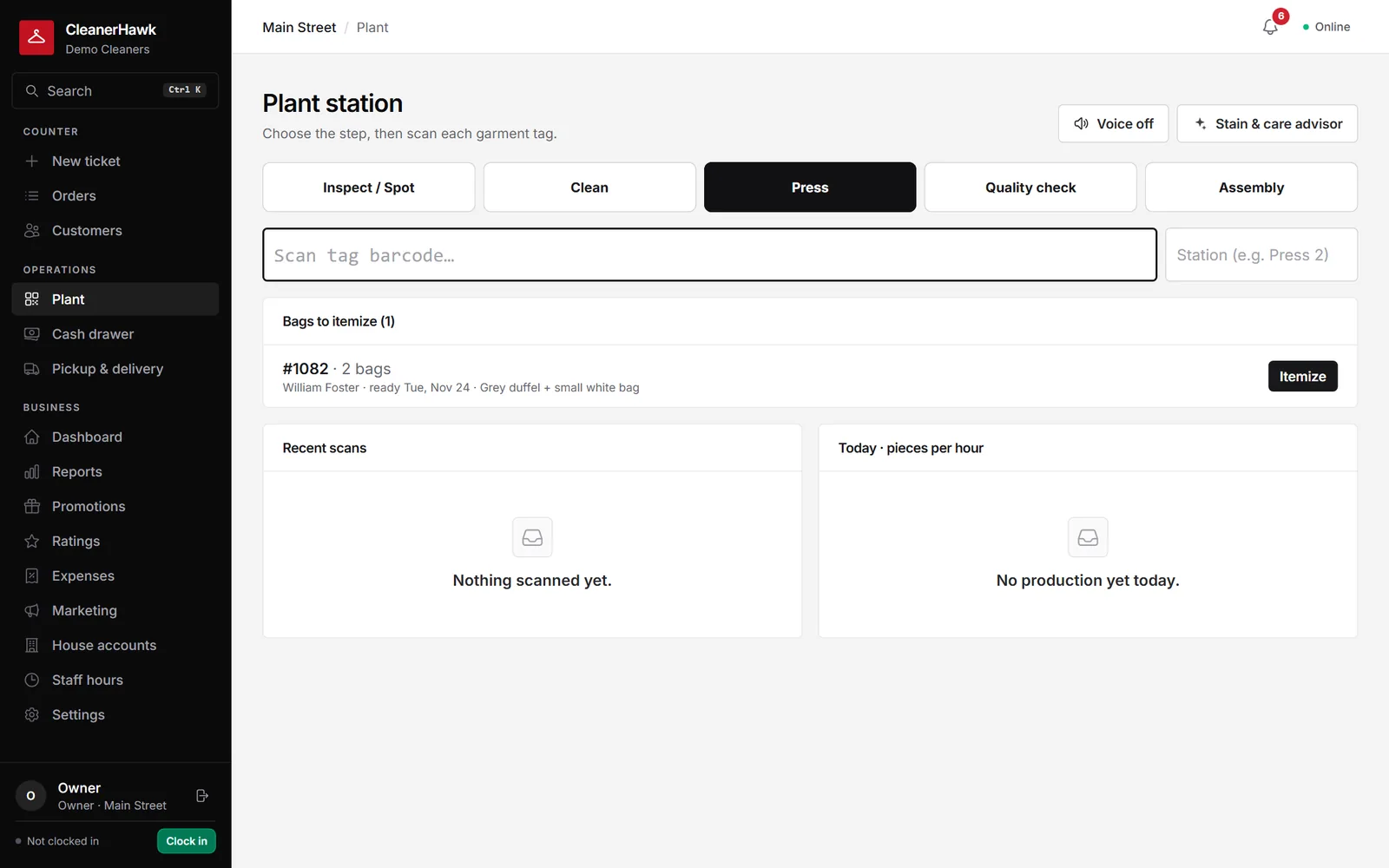
Plant & deliveryEach tag is scanned as it moves from cleaning to pressing to assembly.
Plant & deliveryA photo taken at the counter settles the "was that stain there before?" conversation before it starts, and shows the customer you looked after their garment.
CustomersThe moment an order is ready the customer gets an e-mail with the total, the balance and a link to track it.
CounterEach register has its own drawer session.
ManagementPick any range and see how it compares with the one before: what came in, what sold, when you are busiest, how fast orders turn around and what is still owed.
Other businesses we work with:
CleanerHawk prints to standard thermal tag and receipt printers that use ESC/POS, through the free Print Bridge. See the hardware page for what works.
Yes. You can set price lists per customer, add discounts and mark customers as tax-exempt.
The counter keeps writing tickets offline and syncs automatically when the connection comes back. Ticket numbers are reserved per register, so they never clash.
Yes. Take a photo of stains or damage with a tablet or phone at drop-off. The photo stays on the ticket and shows in the customer's app.
A short call, your price list loaded, and an honest answer on whether it fits your shop. Month to month, and your data exports any time.