
Customer in two keystrokes
Search by name or the last digits of the phone number. New customers are added without leaving the ticket.
Find the customer, tap the garments, check out. Everything the counter needs is on one screen, and staff switch with their own PIN in a second.
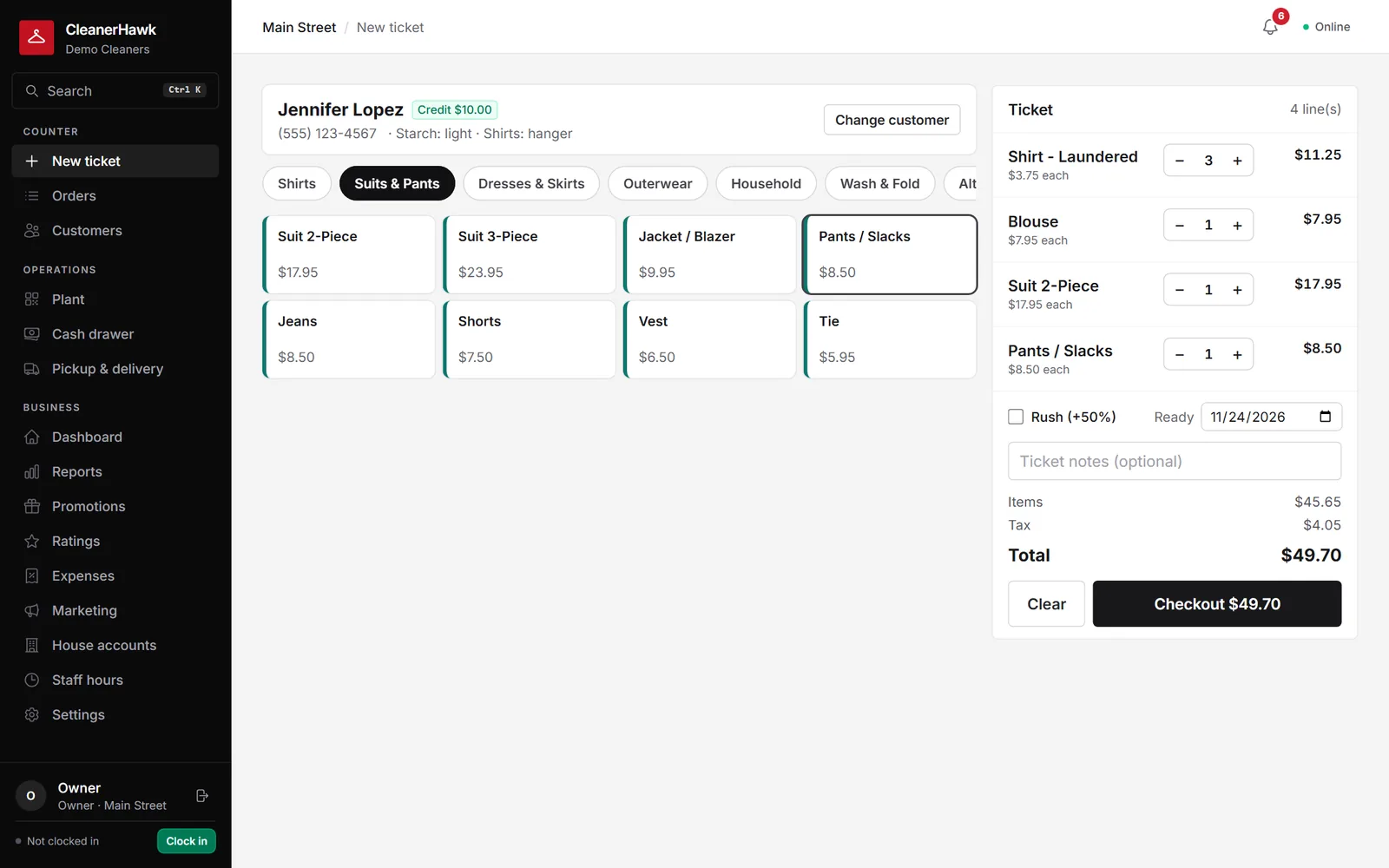
Write dry cleaning tickets fast: customer search, garment grid, upcharges, rush, ready dates, preferences and price lists, on any PC, Mac or tablet.
Search by name or the last digits of the phone number. New customers are added without leaving the ticket.
Shirts, suits, dresses, household, wash & fold: big buttons with your prices, sized for touch screens.
Stain, silk, beading or a flat fee per garment; notes on the ticket and per item for the plant.
Rush adds your percentage and moves the ready date. The default ready time follows each store's turnaround.
Starch level and shirts on hanger or folded show the moment the customer is picked, so nobody has to ask.
Give hotels, uniforms or seniors their own price list or a standing discount; tax-exempt customers are handled.
Part of every CleanerHawk account. Turn it on in Settings and it fits into the rest of the day.
Type a name or phone number. Returning customers come up with their preferences and any balance owed.
Add quantities, upcharges and notes. The total updates as you go, with tax.
Collect now, at pickup, or charge the house account. Tags and the receipt print straight away.
Used most by:
Related reading:
Yes. It runs in the browser on Windows PCs, Macs, iPads and Android tablets, and can be installed as an app. Buttons are sized for touch.
Yes. Create price lists (for example for a hotel or a uniform account) and assign them to customers, or give a customer a standing percentage discount.
The counter keeps writing tickets offline and syncs when the connection returns. See how offline mode works on its own page.
Also in Counter: Garment tags & barcodes, Quick drop, Payments, Cash drawer & end of day, Works offline
Every garment gets its own numbered tag the moment the ticket is saved.
CounterCash with change and an open drawer, cards on a reader, a link the customer pays from their phone, or a saved card charged automatically when the order is ready.
CounterA cloud system should not stop your counter when the router does.
CounterBusy mornings, drop boxes and regulars in a rush: the customer leaves a bag, gets a ticket number and goes.
A short call, your price list loaded, and an honest answer on whether it fits your shop. Month to month, and your data exports any time.