
Preferences
Starch level, shirts on hanger or folded, and notes that show at the counter every time.
Each customer has one page with everything: preferences, notes, open tickets, history, what they usually bring and how often they come in.
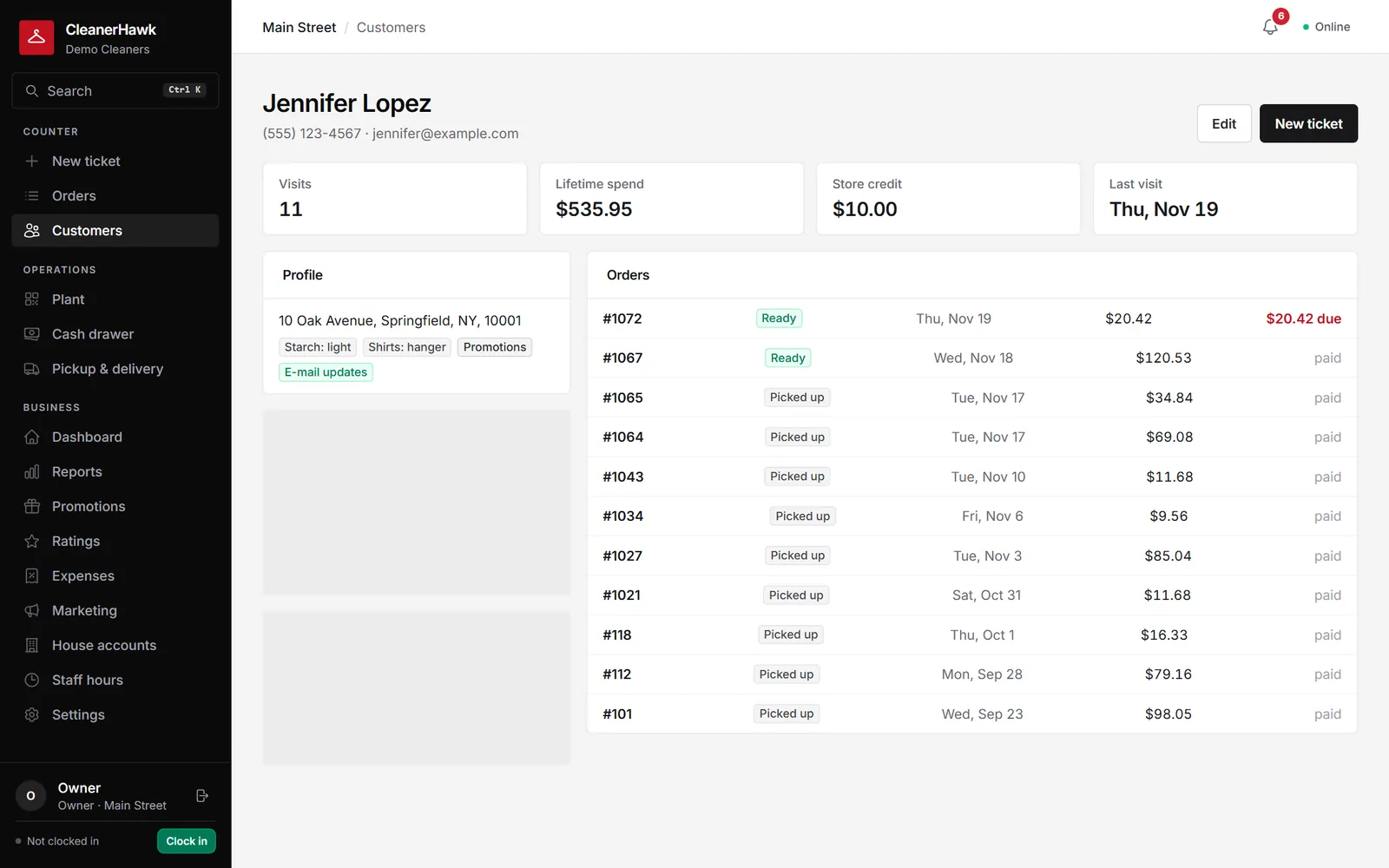
Preferences, notes, full history, spending insights and segments like VIP, regulars and lapsed, with CSV import and export to bring your customers over.
Starch level, shirts on hanger or folded, and notes that show at the counter every time.
Average ticket, how often they visit, favourite items, usual payment method and their rating.
VIP, regulars, new, at risk and lapsed, with counts, ready to filter or e-mail.
Import past tickets so visits, spend and "customer since" start from day one.
Bring customers over from a CSV; export everyone or a segment at any time.
Store credit, loyalty points, house account balance and saved card, all on the profile.
Part of every CleanerHawk account. Turn it on in Settings and it fits into the rest of the day.
Upload a CSV from your old system; duplicates are skipped.
Every ticket adds to the customer's history and insights.
Win back lapsed customers or thank your VIPs with a campaign.
Used most by:
Related reading:
Name or first/last name, phone, e-mail, address, city, state, ZIP, notes and starch, under the names most systems use.
No. Customers whose phone or e-mail already exists are skipped.
Yes. Export customers, orders and reports to CSV whenever you like.
Also in Customers: Customer app, Order notifications & tracking, Ratings & reviews, Loyalty & refer a friend
Pick a group of customers, write a message (or let the assistant draft one), send a test, and send.
CustomersPoints add up with every paid ticket and turn into store credit at the counter or in the app.
CustomersEvery business gets its own customer app at its own link, and can publish a branded app in the stores.
A short call, your price list loaded, and an honest answer on whether it fits your shop. Month to month, and your data exports any time.