
Expenses by category
Rent, supplies and chemicals, utilities, equipment, vehicles, software and more.
Sales tell half the story. Add what you spend and the dashboard shows what is left, with wages calculated from the time clock.
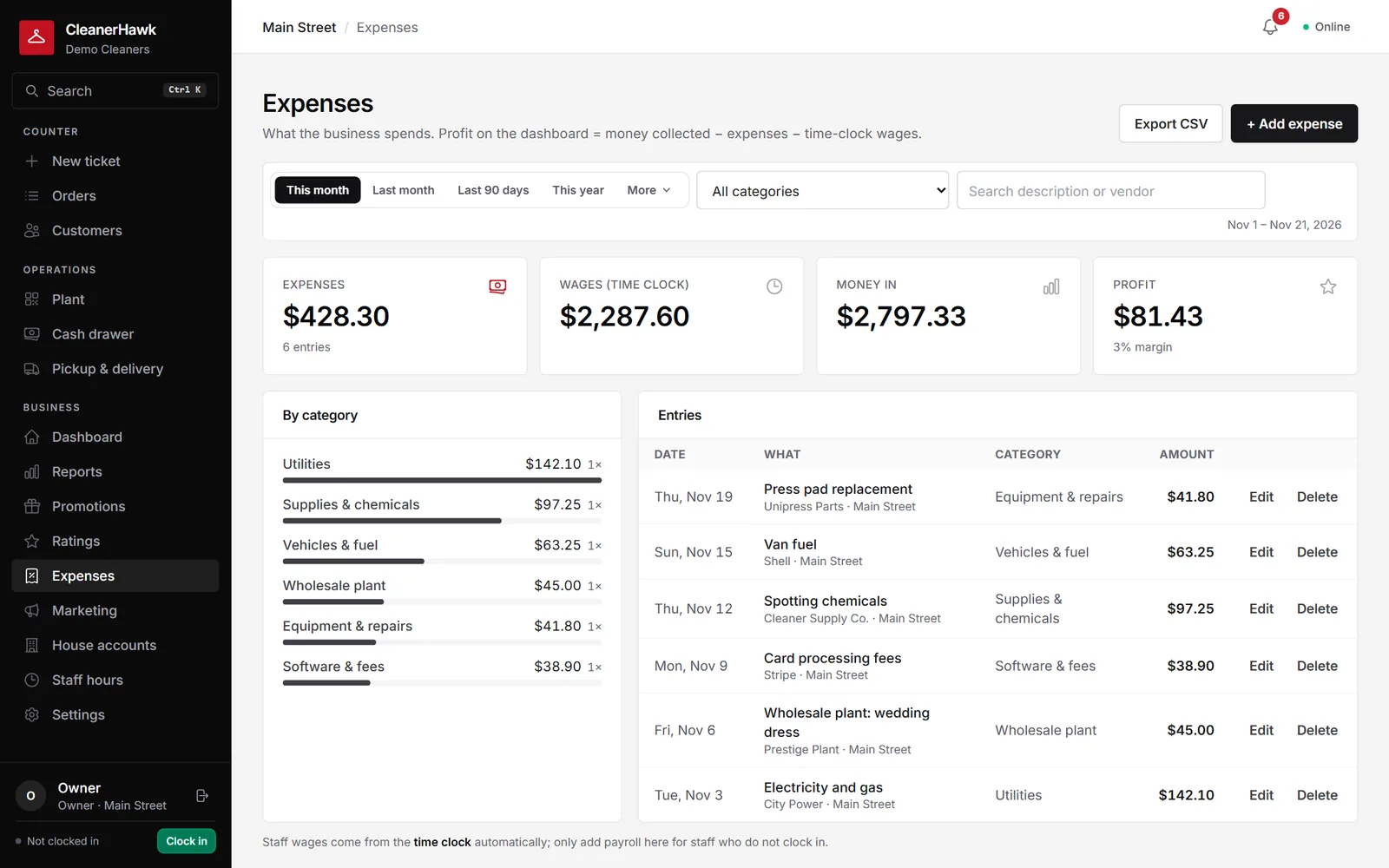
Record rent, supplies, utilities and other expenses by category; profit is money collected minus expenses and time-clock wages, by store and period.
Rent, supplies and chemicals, utilities, equipment, vehicles, software and more.
Note who you paid and which store it was for.
Hours from the time clock times each person's rate, without extra entry.
Money in minus expenses and wages, with the margin, for any period.
Profit sits next to sales so you see both.
Download expenses as CSV for your bookkeeper.
Part of every CleanerHawk account. Turn it on in Settings and it fits into the rest of the day.
As bills arrive, or once a week.
Staff clock in and out.
Check profit by month and store.
Related reading:
No. It gives you a running view of profit; your accountant still does the books.
Business-wide expenses count for the whole business and are left out of per-store comparisons.
Only roles you allow.
Also in Management: Reports & analytics, Staff, roles & time clock, Multiple locations
Pick any range and see how it compares with the one before: what came in, what sold, when you are busiest, how fast orders turn around and what is still owed.
ManagementEveryone signs in as themselves, sees what their job needs and nothing more, and clocks in from the same screen.
ManagementCustomers are shared across your stores, so they can drop at one and collect at another.
A short call, your price list loaded, and an honest answer on whether it fits your shop. Month to month, and your data exports any time.