
Requests from the app
Customers choose a pickup or delivery window and add instructions; it lands on your dispatch board.
Customers book a pickup window from their phone. You see every request on one board, put them on a route, and the driver opens their stops in order with navigation.
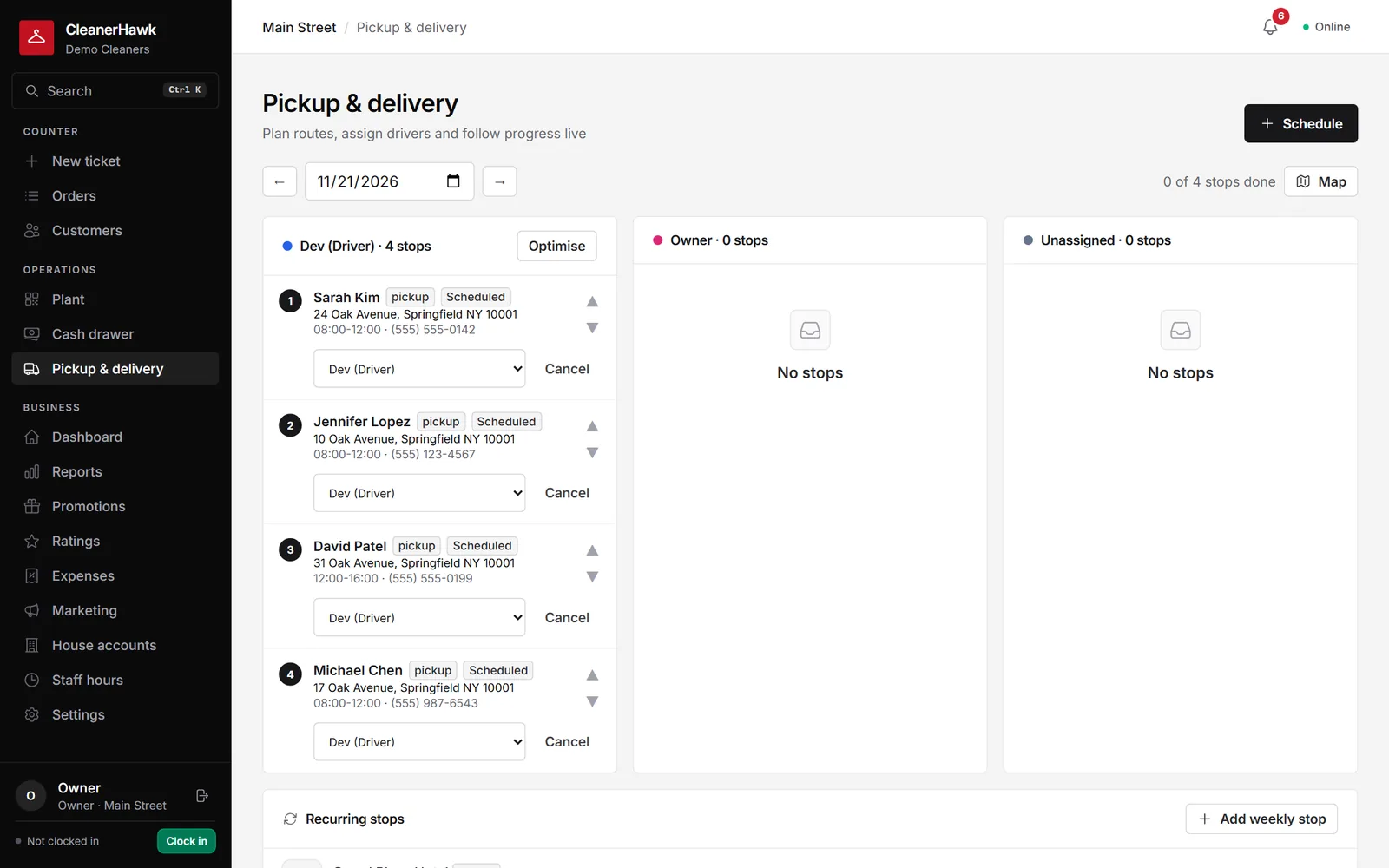
Take pickup requests from the customer app, plan routes on a map, give drivers their stops in order and run weekly standing pickups for hotels and offices.
Customers choose a pickup or delivery window and add instructions; it lands on your dispatch board.
Today's pickups and deliveries by status and driver, with the address on a map.
Put the stops in the shortest sensible order from the store and back.
Drivers see their route on their phone, open navigation, call the customer and mark stops done.
Weekly standing stops (every Tuesday 8 to 12 at the hotel) are created two weeks ahead automatically.
A "driver on the way" e-mail goes out, and the order shows its delivery status in the app.
Part of every CleanerHawk account. Turn it on in Settings and it fits into the rest of the day.
Set your pickup windows and service area.
Assign the day's stops to a driver and optimise the order.
The driver works through the stops; ready orders go out on the next delivery.
Used most by:
Related reading:
Drivers sign in to the same app on their phone and only see their route. The store app can also be installed from the app stores.
Yes. Add a delivery fee to the order, or include delivery in a price list for accounts.
Yes. Recurring pickups and house accounts are built for commercial customers.
Also in Plant & delivery: Plant production tracking, Garment photos,
Every business gets its own customer app at its own link, and can publish a branded app in the stores.
GrowthHotels, restaurants and offices do not pay at the counter.
CounterBusy mornings, drop boxes and regulars in a rush: the customer leaves a bag, gets a ticket number and goes.
CustomersThe moment an order is ready the customer gets an e-mail with the total, the balance and a link to track it.
A short call, your price list loaded, and an honest answer on whether it fits your shop. Month to month, and your data exports any time.